How Each System Actually Works
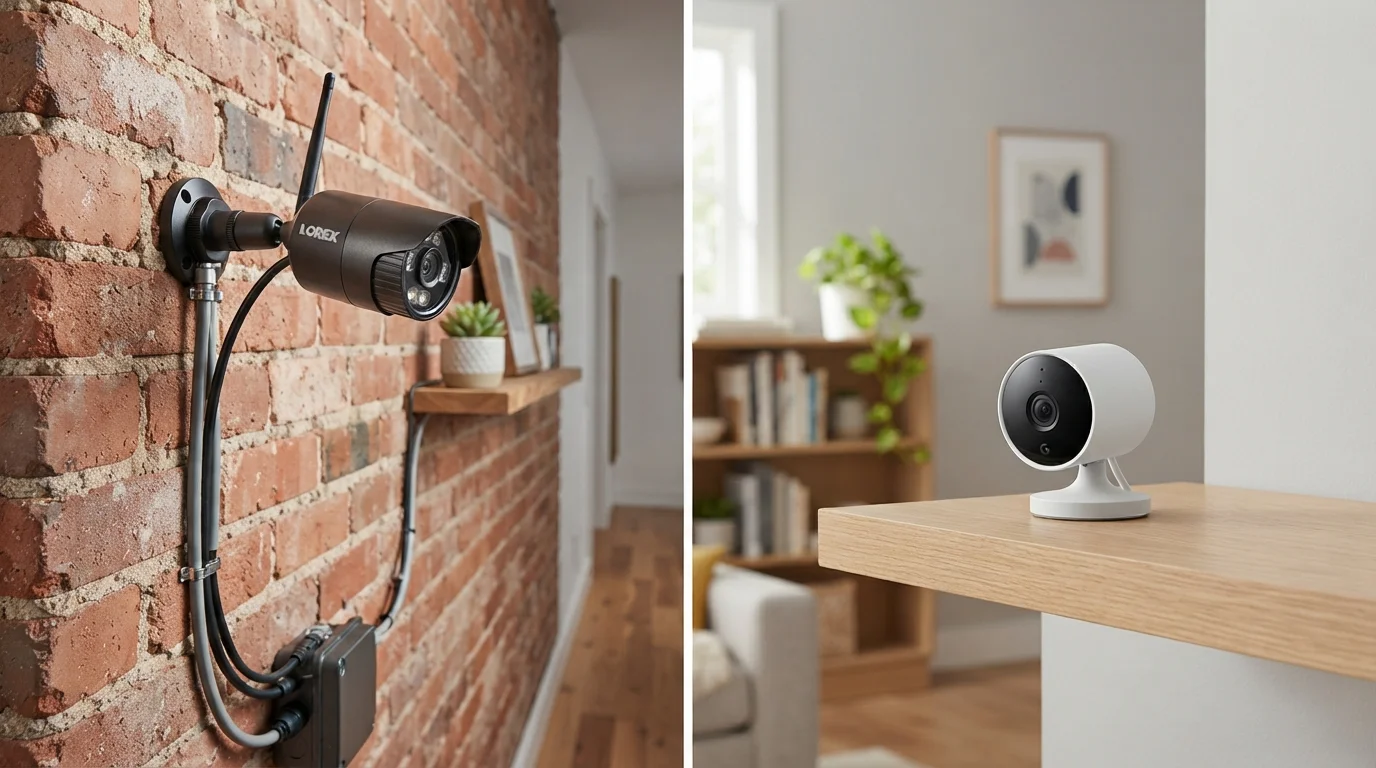
Wired security cameras connect to your home via physical cables - typically coaxial or ethernet - that carry both power and video signal to a central recorder, such as a DVR (Digital Video Recorder) or NVR (Network Video Recorder). That recorder stores footage locally and can be connected to your home network for remote viewing.
Wireless cameras, by contrast, transmit video over your home's Wi-Fi network to a cloud server or a local hub. Most still require a power source - usually a standard outlet - though a growing number run on rechargeable batteries. The key distinction is that video data travels wirelessly rather than through a cable. For a deeper look at how connected devices share your home network, see how your home network handles multiple devices.
Installation: What Each System Demands
Wired camera installation is the bigger lift. Running cables through walls, attics, or exterior siding typically requires drilling, fishing wire, and some familiarity with electrical basics. Many homeowners hire a professional installer, which adds cost but ensures a clean, hidden-cable result. Once installed, however, the system is largely set-and-forget.
Wireless cameras are designed for self-installation. Most mount with a few screws, connect to Wi-Fi through a smartphone app, and are operational within minutes. The trade-off is that wireless performance lives and dies by your Wi-Fi signal. Cameras placed far from your router - in a garage, backyard, or corner bedroom - may experience lag, dropped connections, or reduced video quality. A strong, well-distributed network is essential. If your coverage is uneven, mesh Wi-Fi systems can extend reliable coverage across your home more effectively than a single router.
Test Your Wi-Fi Signal Before Buying
Before purchasing a wireless camera, check the Wi-Fi signal strength at the exact spot where you plan to mount it. Most smartphones can show signal strength in their Wi-Fi settings or via a free app. A weak or intermittent signal at that location is a reliable predictor of camera performance problems - and worth addressing with a range extender or mesh node before installation.
Reliability, Power, and What Happens When Things Go Wrong
Wired systems have a structural advantage in reliability. Because they don't depend on Wi-Fi, interference from neighboring networks or thick walls doesn't degrade performance. Power outages are a risk for any camera, but wired systems can be connected to an uninterruptible power supply (UPS) to keep recording during brief outages.
Wireless cameras are more vulnerable to disruptions. A dropped Wi-Fi connection means a gap in coverage. Battery-powered wireless cameras solve the outlet dependency but require regular recharging - a task that's easy to forget. Cameras in high-traffic areas may drain batteries faster due to constant motion-triggered recording.
Wireless Cameras Can Be Jammed
Wireless cameras that transmit over Wi-Fi are technically vulnerable to signal jamming - a method some intruders use to disrupt camera feeds before a break-in. While this requires deliberate effort and specialized equipment, it's a real limitation that wired systems don't share. If this risk is a concern, consider a wired system or a hybrid setup that includes local recording as a fallback.
Storage, Privacy, and Ongoing Costs
Wired systems typically store footage locally on a DVR or NVR with a hard drive. There's no monthly fee, and footage stays on your property - a meaningful privacy consideration for many households. The downside is that if the recorder is stolen or damaged, you lose the footage along with it.
Most wireless cameras default to cloud storage, which means footage is accessible from anywhere but often requires a monthly or annual subscription after a free-tier limit. Some wireless cameras offer local storage via a microSD card or a local hub as an alternative. Whatever system you choose, securing your home network is equally important - strong network security habits help prevent unauthorized access to your camera feeds.
| Wired Cameras | Wireless Cameras | |
|---|---|---|
| Installation complexity | High - cables, drilling, often professional help | Low - app-guided, self-install in minutes |
| Reliability | High - no Wi-Fi dependency | Moderate - depends on signal strength |
| Power source | Hardwired - constant power | Outlet or rechargeable battery |
| Video storage | Local DVR/NVR - no subscription needed | Cloud (subscription) or local SD card |
| Flexibility / repositioning | Low - fixed once installed | High - easy to move or adjust |
| Upfront cost | Higher - equipment plus installation | Lower to moderate - equipment only |
| Ongoing costs | Minimal after setup | Possible cloud subscription fees |
| Best for renters | No - permanent modifications required | Yes - minimal wall impact |
Choosing Based on Your Situation
The right choice is less about which technology is objectively superior and more about matching a system to your actual circumstances. Wired cameras suit permanent homes where installation effort pays off over years of use, and where local storage without recurring fees is preferred. They're also worth considering if your internet connection is unreliable.
Wireless cameras make practical sense for renters who can't run cables, for homeowners who want to add coverage in one specific spot without a larger installation project, or for monitoring outbuildings and areas where running cable would be genuinely difficult. Just as wired and wireless earbuds each suit different listening habits, security camera choices come down to how you actually live in your space - not which spec sheet looks better on paper.