Why Convenience and Privacy Are Usually in Tension
Almost every modern convenience feature runs on data. A smart assistant that answers your questions has to hear them. A navigation app that routes around traffic has to know where you are. A password manager has to store credentials somewhere. That's not a design flaw - it's how these features work. The tension isn't between technology that is good and technology that is bad; it's between two legitimate values that pull in opposite directions.
What often goes unexamined is the scale of that exchange. Most people agree to share their location to get directions. Fewer realize that the same permission may let an app log every place they visit throughout the day, building a detailed pattern of behavior over time. Understanding online privacy basics is a useful starting point for anyone who wants a clearer picture of how personal data moves through the apps they use every day.
79%
Americans concerned about data use by companies
A Pew Research Center survey found a large majority of U.S. adults say they are concerned about how companies use the data collected about them.
6 in 10
Adults who feel they have little control over data
The same Pew Research Center study reported that roughly six in ten U.S. adults feel they have little to no control over how their personal data is collected and used.
The Real Advantages of Convenience Features
It would be dishonest to frame convenience features as purely problematic. They deliver genuine, measurable value - and that's exactly why billions of people use them.
Saves significant time on routine tasks
Voice assistants, autofill, and smart suggestions reduce friction across dozens of small daily interactions. The cumulative time savings across a week can be substantial for heavy device users.
Improves security when used correctly
Password managers and two-factor authentication apps make strong security practices easier to maintain consistently - reducing the risk of account compromise compared to manually managed credentials.
Enables genuinely personalized experiences
Recommendations, smart routing, and adaptive interfaces become more useful over time as they learn patterns. For many users, this personalization adds real, practical value.
Reduces cognitive load in complex situations
Navigation apps, calendar integrations, and smart home automation handle logistical details automatically, freeing attention for higher-priority tasks.
Many controls are available if you look for them
Major platforms - including operating systems and large app ecosystems - provide privacy dashboards, permission controls, and data-deletion tools that can meaningfully limit exposure without abandoning the feature entirely.
The security case for certain convenience tools is particularly worth noting. Password managers, for instance, make it practical to maintain strong, unique credentials for every account - a habit that most people struggle to maintain without help. The convenience here actively improves security, rather than trading against it.
The Privacy Costs Worth Knowing About
Understanding the downsides doesn't require technical expertise - it mainly requires asking what a feature needs to do its job and what else it might be doing with that access.
Data collection often extends beyond the obvious
A fitness app that tracks your steps may also log your location continuously. A smart TV that streams content may collect viewing habits used for ad targeting. The data footprint is frequently broader than users expect.
Always-on microphones raise meaningful concerns
Voice-activated assistants require constant audio monitoring to detect wake words. While companies describe this audio as processed locally in many cases, the potential for unintended recording remains a legitimate concern for privacy-sensitive environments.
Third-party data sharing is common and often opaque
Many apps share behavioral data with advertising networks, analytics providers, or data brokers under terms buried in lengthy agreements most users never read.
Convenience can normalize excessive data sharing
When features that require broad data access become standard defaults, users may gradually accept levels of tracking they would explicitly reject if asked directly. The cumulative effect across many apps is a detailed personal profile.
Security breaches can expose aggregated data
Data that seems benign in isolation - location history, purchase patterns, search queries - can reveal sensitive information when combined. Breaches at large platforms have demonstrated how aggregated profiles create real-world risk.
Privacy settings are rarely the default
Platforms typically default to the most permissive data-sharing configuration. Users who don't actively seek out and adjust privacy settings are effectively opting in to the maximum level of collection by doing nothing.
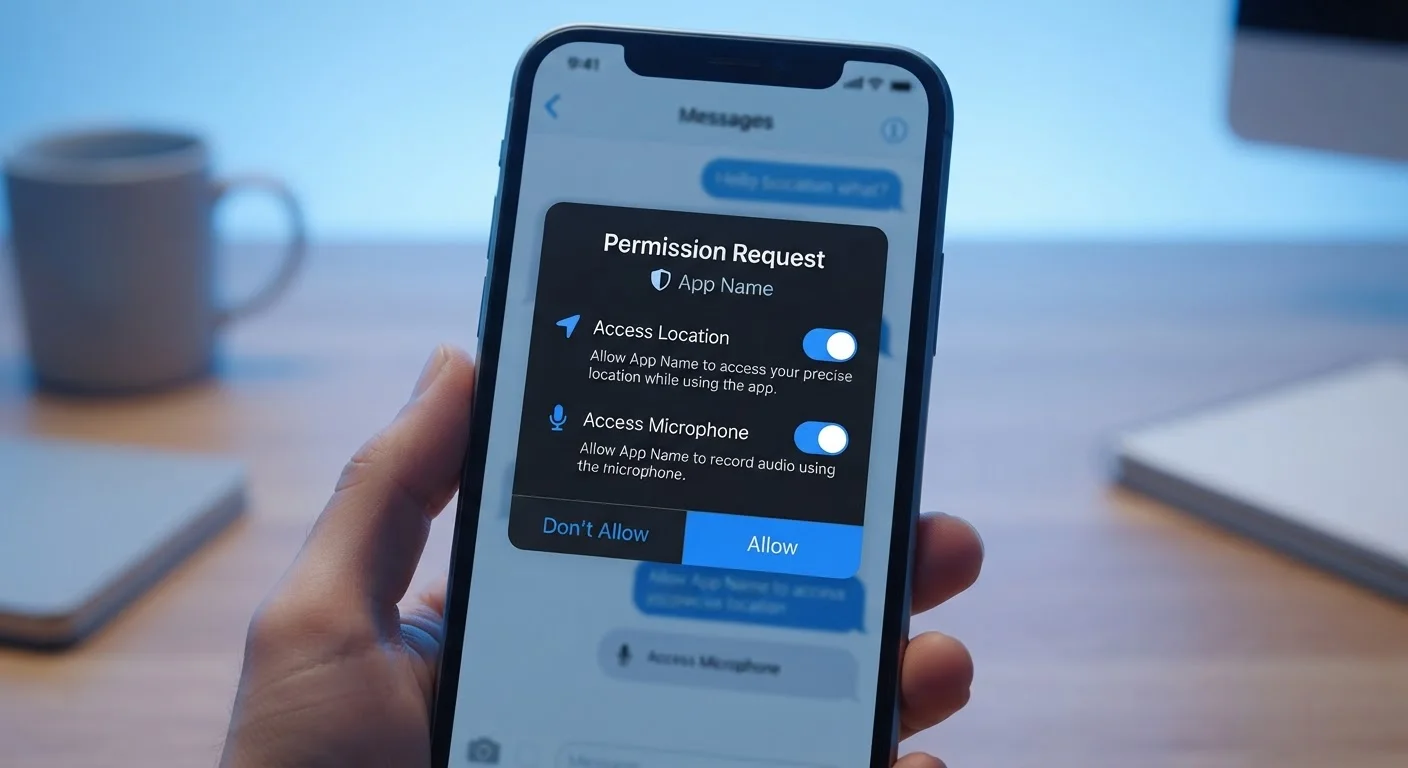
App permissions are one of the most direct levers users have here. Many apps request access to your microphone, contacts, or location by default, even when those permissions aren't central to the app's purpose. What those permissions actually mean is something every smartphone user benefits from understanding before tapping "Allow."
Data Sharing Is Often Disclosed - But Hard to Find
Most apps and platforms do disclose their data practices in privacy policies and terms of service - they are generally required to by law. The practical problem is that these documents are long, technical, and rarely summarized in plain language at the point of sign-up. Checking an app's privacy policy page or its listing in your device's app store can provide a faster summary of what data categories it collects without reading the full legal document.
Making the Trade-Off Work for You
The most practical approach is neither blanket acceptance nor blanket refusal - it's intentional calibration. A few habits make a significant difference without requiring a complete overhaul of how you use technology.
- Audit permissions periodically. Both iOS and Android allow you to review exactly which apps have access to your location, microphone, contacts, and camera. Revoking permissions from apps that don't need them is low-effort and meaningful.
- Use convenience features where the benefit is clear. A password manager is a straightforward win. An always-on smart assistant in a private room is a more personal call.
- Explore privacy settings proactively. Platforms generally offer more control than users realize - ad personalization, data retention, and activity history settings often go unvisited. Device-level privacy settings on your phone, laptop, and smart TV are worth reviewing.
- Understand what "private browsing" actually does - and doesn't. Many users assume it means their activity is hidden from everyone. The difference between a VPN and private browsing clarifies exactly what each one protects against.
The goal isn't perfect privacy - it's informed participation. Knowing what you're exchanging and getting something you actually value in return is a reasonable deal. Not knowing is what creates exposure you didn't intend.