Why Cybersecurity Myths Are Genuinely Dangerous
Most people think of cyberattacks as something that happens to corporations, governments, or careless strangers - not to them. That comfortable distance is exactly what cybercriminals count on. Outdated assumptions about how digital threats work create real gaps in everyday behavior, and those gaps are where most harm occurs.
The myths below aren't obscure technicalities. They're beliefs held by a large share of everyday users - beliefs that informed attackers actively exploit. Understanding where these ideas go wrong is the first step toward building habits that actually protect you. For a practical follow-up, see our guide on building a personal digital security routine.
Myth
Macs and iPhones don't get viruses, so Apple users don't need to worry about security.
Fact
Apple devices can and do get infected with malware, and they face a growing range of other threats including phishing, adware, and spyware.
This belief traces back to a time when Windows dominated the market and attackers focused their efforts there. As Apple's market share has grown, so has attacker interest. macOS and iOS have meaningful built-in security features, but they are not impenetrable. Researchers have documented malware families targeting macOS, and phishing attacks work identically regardless of the device receiving them. Platform choice affects your risk profile - it doesn't eliminate risk.
Myth
I'm not a target - I don't have anything worth stealing.
Fact
Attackers rarely choose individuals based on perceived wealth. Automated tools probe millions of accounts indiscriminately, and even ordinary data has value.
Email credentials can be sold or used to launch further attacks. Personal information fuels identity theft. Compromised devices get recruited into botnets that conduct attacks on others. Attackers monetize ordinary people's data in ways those people never anticipate - selling it in bulk, using it to bypass account recovery questions, or leveraging it in targeted scams against the victim's contacts. The question isn't whether your data has value to you - it's whether it has value to someone else.
Myth
Antivirus software keeps you fully protected.
Fact
Antivirus is one useful layer among many, but it cannot catch every threat - particularly newer or more sophisticated attacks.
Antivirus tools primarily detect known threats by matching signatures against a database. Novel malware, zero-day exploits, and social engineering attacks can evade this detection. Modern security guidance emphasizes a layered approach: antivirus plus regular software updates, two-factor authentication, careful link hygiene, and network awareness. Relying solely on antivirus creates a false sense of completeness that leaves meaningful gaps.
Myth
A strong password is enough - I don't need two-factor authentication.
Fact
Passwords, no matter how strong, can be stolen through phishing, data breaches, or credential-stuffing attacks. Two-factor authentication adds a critical second barrier.
Two-factor authentication (2FA) requires a second proof of identity - typically a code sent to your phone or generated by an app - in addition to your password. Even if an attacker obtains your password from a breach, 2FA prevents them from accessing the account without also controlling your second factor. Security experts broadly recommend enabling 2FA on every account that supports it, particularly email, banking, and any account linked to payment information.
Myth
If a Wi-Fi network requires a password, it's safe to use for sensitive tasks.
Fact
A password on a public Wi-Fi network authenticates your device to the network - it does not encrypt your traffic or verify who else is connected.
Public networks - in cafes, hotels, airports, and libraries - may be password-protected yet still expose your traffic to other users on the same network or to a malicious hotspot designed to mimic a legitimate one. Using a reputable VPN (Virtual Private Network) encrypts your connection before it leaves your device, significantly reducing this exposure. Avoiding sensitive transactions - banking, healthcare portals, work systems - on public Wi-Fi without a VPN is a practical minimum precaution.
Myth
You'll always know if your device has been compromised.
Fact
Many infections are deliberately designed to be invisible, operating quietly in the background to avoid triggering any obvious symptoms.
Ransomware announces itself - but it's the exception. Spyware, credential stealers, and botnet clients are specifically engineered to remain undetected for as long as possible. A compromised device may run somewhat slower or consume more battery, but these signs are easy to dismiss. Regular software updates, reputable security software, and monitoring your accounts for unusual activity are more reliable indicators than waiting for something to feel wrong.
What Effective Protection Actually Looks Like
Genuine security isn't a single product or a one-time action - it's a set of layered habits maintained consistently over time. Antivirus matters, but so do software updates, unique passwords, and skepticism toward unexpected messages. None of these layers is optional, and none alone is enough.
80%+
Of breaches involve weak or stolen credentials
Verizon's annual Data Breach Investigations Report has consistently found that the majority of breaches involve compromised credentials, underscoring the importance of strong, unique passwords and 2FA.
3.4 billion
Phishing emails sent daily worldwide
Industry security researchers estimate that phishing emails account for a significant share of all email traffic globally, making it the most common attack vector facing everyday users.
60%
Of people reuse passwords across multiple sites
Surveys by security research organizations have repeatedly found that password reuse is widespread, dramatically amplifying the damage caused by any single data breach.
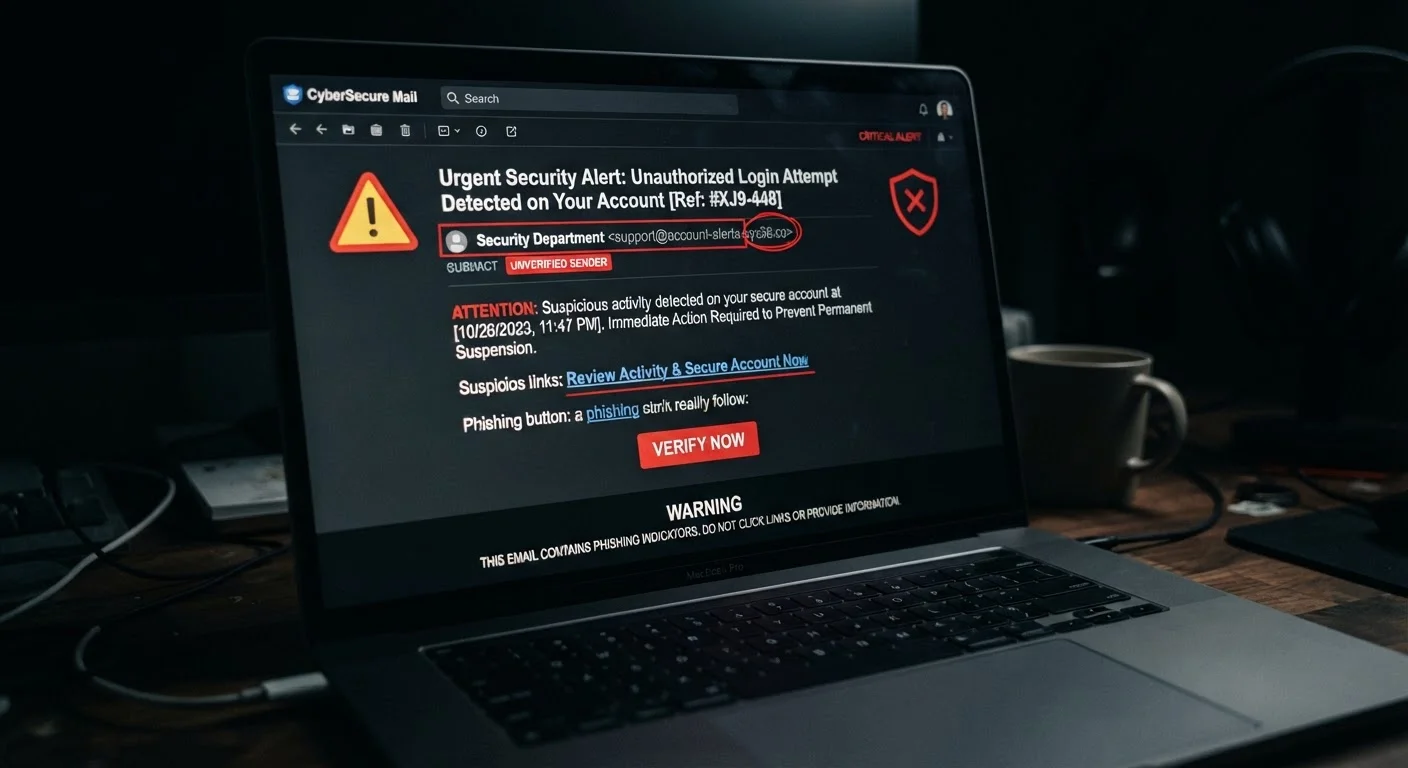
Phishing remains one of the most effective attack vectors precisely because it bypasses technical defenses by targeting human judgment. Learning to recognize the hallmarks of a manipulative message is as important as any software tool. Our article on the anatomy of a phishing email breaks down exactly what to look for, and social engineering tactics explains the psychology attackers use to bypass your instincts.
Password discipline is another area where myths do consistent damage. Reusing a single strong password across accounts is still dangerous - one breach exposes all of them. For a full breakdown, see password habits that quietly undermine your security. And if your home network is your first line of defense, home network security habits outlines the fundamentals worth building now.
Public Wi-Fi Risks Are Frequently Underestimated
Connecting to public Wi-Fi - even password-protected networks - without a VPN can expose login credentials, session tokens, and sensitive browsing activity to others on the same network. This risk applies in hotels, airports, cafes, and libraries. Consider using a VPN or switching to your mobile data connection for any sensitive tasks when away from your home network.